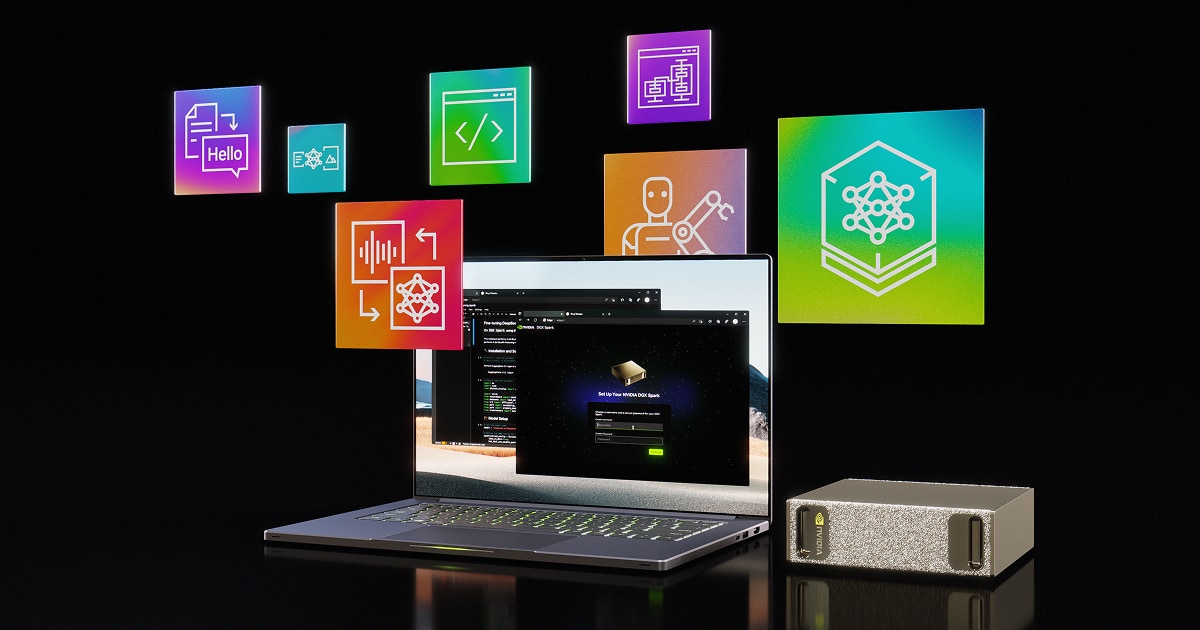
DGX Spark: NVIDIA Puts an AI Supercomputer on the Desk
NVIDIA DGX Spark is a product that is easy to misread in two opposite directions.
One misunderstanding treats it as a “home AI miracle machine”: buy it, run every large model locally, and cloud services are no longer needed. The other treats it as a “mini H100 cluster”: since it carries the DGX name and claims 1 PFLOP, it should be able to train everything.
Neither view is accurate. DGX Spark is closer to an AI development machine that sits on the desk. It lets developers, researchers, and small teams run larger-model inference, fine-tuning, Agent validation, multimodal prototypes, and privacy-sensitive data experiments locally. The real keywords are not simply “supercomputer”, but “local”, “unified memory”, “NVIDIA software stack”, and “continuous operation”.
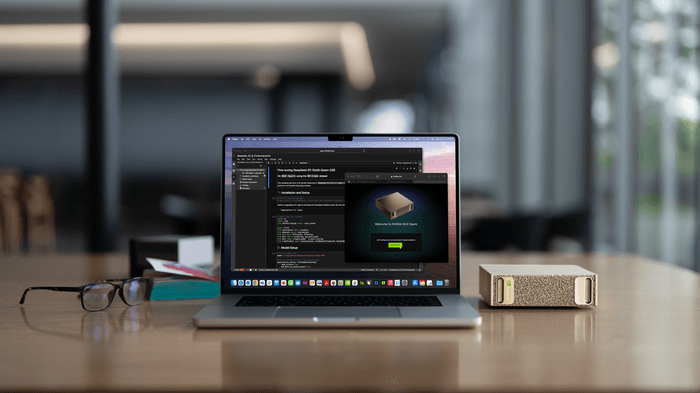
Image source: NVIDIA Newsroom official press release.
What This Machine Actually Is
NVIDIA officially defines DGX Spark as a personal AI supercomputer. It first appeared at CES 2025 under the name Project DIGITS, and later entered the DGX product line as DGX Spark. According to the official NVIDIA product page and the NVIDIA Newsroom release from October 2025, its core is the GB10 Grace Blackwell Superchip.
GB10 packages a Blackwell-architecture GPU, a 20-core Arm CPU, CPU-GPU coherent unified memory, and NVIDIA’s AI software ecosystem into a small desktop device. You can understand it this way: NVIDIA wants to move part of the workflow that used to depend on remote GPU servers back to the developer’s desk.
It is not a consumer GPU tower, and it is not an AI version of a Mac mini. It is more like a reference workstation built by NVIDIA for AI developers: hardware, system, CUDA, NIM, and the NVIDIA AI software stack are preinstalled so developers can test models, tune applications, and validate Agents locally in a way that stays close to the production ecosystem.
Main Specs
The table below is organized from NVIDIA’s official specifications. At the time this article was written, the official product page was updated on June 23, 2026.
| Item | DGX Spark Specification |
|---|---|
| Architecture | NVIDIA Grace Blackwell |
| Superchip | NVIDIA GB10 Grace Blackwell Superchip |
| GPU | Blackwell architecture |
| CPU | 20-core Arm: 10 Cortex-X925 + 10 Cortex-A725 |
| CUDA / Tensor / RT | Blackwell-generation CUDA cores, fifth-generation Tensor Cores, fourth-generation RT Cores |
| AI performance | Up to 1 PFLOP FP4 |
| System memory | 128GB LPDDR5x coherent unified system memory |
| Memory bus / bandwidth | 256-bit, 273GB/s |
| Storage | 4TB NVMe M.2 with self-encryption |
| Networking | 10GbE RJ-45, ConnectX-7 200Gb/s |
| Wireless | Wi-Fi 7, Bluetooth 5.4 |
| Ports | 4 USB Type-C ports, HDMI 2.1a, up to 3 USB-C DP Alt Mode display outputs |
| Codec | 1 NVENC, 1 NVDEC |
| OS | NVIDIA DGX OS |
| Power | 240W power adapter |
| GB10 TDP | 140W |
| Size | 150mm x 150mm x 50.5mm |
| Weight | 1.2kg |
The more important part is model capability. NVIDIA positions a single DGX Spark as able to run inference and validation for models up to 200B parameters on the desktop, and to fine-tune models up to 70B parameters. Two DGX Spark units connected through ConnectX networking can handle models up to 405B parameters.
Several details matter here.
First, 1 PFLOP refers to AI performance at FP4 precision. It does not mean every task will obtain 1 PFLOP, nor does it mean training, inference, data preprocessing, and long-context serving will all scale linearly. Second, 128GB unified memory is important, but its bandwidth is 273GB/s, which is not in the same class as HBM on data-center GPUs. Third, the Arm CPU is fine for new projects, but projects that depend on old x86 binaries, unusual drivers, or closed-source extensions may still face migration cost.
Unified Memory Is Not All the Same
DGX Spark is often compared with machines such as Mac Studio and AMD Ryzen AI Max because all of them talk about “unified memory”. But unified memory only means the CPU and GPU can share one memory pool more conveniently. It does not mean performance, ecosystem, and day-to-day experience are the same.
Start with several hard indicators.
| Product Route | Typical Configuration | Unified Memory Capacity | Memory Bandwidth | AI Software Ecosystem | Better-Fit Tasks |
|---|---|---|---|---|---|
| NVIDIA DGX Spark | GB10 Grace Blackwell | 128GB | 273GB/s | CUDA, TensorRT, NIM, DGX OS, NVIDIA AI stack | Large-model development, Agents, inference, and fine-tuning validation inside the NVIDIA ecosystem |
| Apple Mac Studio M4 Max | M4 Max | Up to 128GB | 546GB/s | Metal, Core ML, MLX, macOS ecosystem | Creative software, local inference, development, video and graphics workflows |
| Apple Mac Studio M3 Ultra | M3 Ultra | Up to 512GB | 819GB/s | Metal, Core ML, MLX, macOS ecosystem | Very-large-memory local models, video post-production, 3D, research prototypes |
| AMD Ryzen AI Max+ 395 | Strix Halo / Radeon 8060S | Up to 128GB | About 256GB/s | ROCm / DirectML / ONNX Runtime / llama.cpp and others, ecosystem still maturing | x86 small workstations, gaming plus AI, cost-effective local models |
The most important row to watch is memory bandwidth. DGX Spark’s 273GB/s is not low, but it does not open a generational gap over AMD Ryzen AI Max+ 395. It is clearly below Mac Studio M4 Max’s 546GB/s and M3 Ultra’s 819GB/s. In other words, if you look only at unified-memory bandwidth, Mac Studio is very strong, and M3 Ultra in particular offers unusually high memory capacity and bandwidth for a personal workstation.
But AI development is not only about bandwidth. DGX Spark’s advantage is the NVIDIA stack: Blackwell Tensor Cores, FP4, CUDA, TensorRT, NIM, NVIDIA containers, and DGX OS. Many open-source models, inference frameworks, and deployment tools are optimized around NVIDIA first. When you buy DGX Spark, you are not only buying 128GB of memory. You are buying into an NVIDIA AI engineering route.
The Mac’s advantage is memory capacity and whole-machine experience. M3 Ultra’s maximum 512GB unified memory is attractive for many local-model users. It can hold very large models, offers high bandwidth, is quiet, power-efficient, and has a mature system. The issue is that it follows a different ecosystem route: Apple uses Metal, Core ML, and MLX, not CUDA. For pure local inference, research, coding, video editing, and image processing, Mac Studio is very comfortable. But if your production environment eventually runs on NVIDIA GPUs, vLLM, TensorRT-LLM, NIM, or CUDA containers, the Mac is more like an excellent development machine than a production-homogeneous validation box.
AMD Ryzen AI Max+ 395 occupies an interesting position. It is x86, supports up to 128GB LPDDR5x-8000, offers theoretical memory bandwidth of about 256GB/s, and products such as Framework Desktop have already turned it into a small desktop machine. AMD also notes that, through Variable Graphics Memory, up to 96GB of the 128GB unified memory can be converted into VRAM. That is practical for local models: more memory than ordinary consumer GPUs, cheaper than DGX Spark, still x86, and better for everyday desktop, gaming, and development compatibility.
AMD’s weakness is also clear: its AI software stack has not yet formed CUDA’s default advantage. llama.cpp, ONNX Runtime, ROCm, Vulkan, and DirectML are all improving, but in real projects, when you run into model formats, operators, quantization, drivers, and inference-framework adaptation, the NVIDIA route is usually less painful.
So these three machine types do not simply replace one another:
- If you need local AI development and migration validation inside the NVIDIA ecosystem, DGX Spark is a better fit.
- If you need large memory, quiet operation, creative software, local models, and daily development in one experience, Mac Studio is strong.
- If you need x86, cost-effectiveness, 128GB unified memory, local models, and ordinary desktop use in one machine, AMD Ryzen AI Max+ 395 machines are more practical.
Unified memory is not magic. Whether a model fits depends on capacity. Whether it runs fast depends on bandwidth, operators, quantization, cache, and inference framework. Whether engineering is painless depends on ecosystem. DGX Spark is valuable because it tries to pull these questions into NVIDIA’s own stack.
How to Understand the Price
Price information is even easier to confuse than specifications.
When Project DIGITS was first announced, media outlets such as The Verge reported a starting price of $3,000 based on NVIDIA’s early messaging. By the time DGX Spark entered formal shipment, pricing could vary by region, channel, tax, supply, and OEM version. NVIDIA’s official product page itself emphasizes order entry and specifications, so actual transaction prices should be checked through NVIDIA Marketplace, channel partners, and OEM pages.
I would therefore treat it as a professional AI workstation in the several-thousand-dollar range rather than make a static conclusion from one fixed dollar number. Converted into RMB, and considering domestic channels, taxes, warranty, and supply uncertainty, it is unlikely to be hardware that ordinary individuals casually buy. It is more likely a team budget, lab budget, or high-intensity individual developer budget.
If you only want to run 7B, 14B, or 32B quantized models locally, DGX Spark is not the most cost-effective option. An RTX 4090 or 5090 workstation, a high-memory Mac, or even a regular high-end PC may be cheaper. DGX Spark’s value lies in packing “larger unified memory, a more complete software stack, and an NVIDIA route closer to production” into a desktop box.
Where It Is Strong
DGX Spark’s most visible strength is 128GB unified memory. The first wall many local large-model users hit is not compute, but VRAM. Consumer GPUs have limited VRAM no matter how strong they are, and multi-GPU setups introduce parallelism, communication, driver, and framework complexity. DGX Spark lets CPU and GPU share one coherent unified system memory pool, making it easier to hold large models, retrieval context, tool-call state, and multimodal intermediate results locally.
The second strength is NVIDIA’s software stack. CUDA, TensorRT, NIM, NeMo, RAPIDS, DGX OS, containers, and the model-optimization ecosystem are not new names individually, but for a team, “it is installed and follows the NVIDIA route” is itself productivity. Many AI engineering efforts are not blocked because the model cannot run, but because environment, drivers, inference frameworks, model serving, and deployment pipelines keep causing friction.
The third strength is local privacy and low latency. Medical data, financial data, internal enterprise knowledge bases, R&D code, and customer data are often not suitable for direct upload to external APIs. DGX Spark does not automatically make local inference cheap, but it makes “first run the workflow locally” more feasible.
The fourth strength is continuous operation. It is not a GPU inserted into a gaming tower. It is a complete system aimed at AI development. For resident Agents, continuous indexing, automated evaluation, small-scale service load testing, and overnight batch processing, small size, low power, and a preinstalled environment matter.
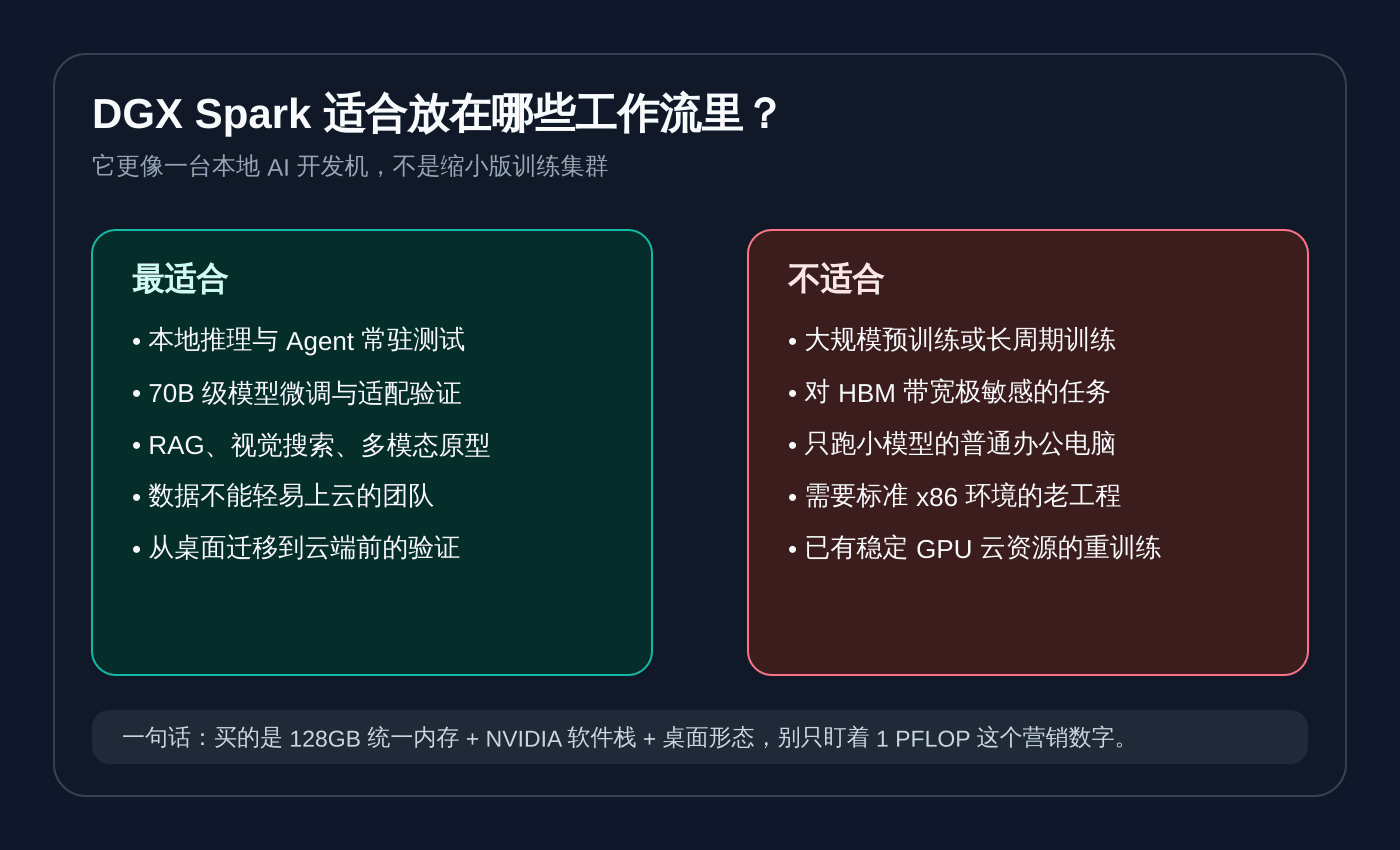
Its Weaknesses Are Also Clear
DGX Spark’s biggest weakness is that the phrase “desktop supercomputer” easily leads people to overestimate it.
It is not a training cluster. Large-model pretraining, long-running large-scale fine-tuning, high-throughput inference services, and massive data-parallel processing still need data-center GPUs, cloud GPUs, or dedicated clusters. DGX Spark is better suited for validating an idea locally to a sufficiently reliable state, then moving it to cloud or data center for scaling.
It is also not an HBM monster. The 128GB capacity is attractive, but 273GB/s memory bandwidth is far from the HBM bandwidth of data-center GPUs such as H100 and B200. For bandwidth-sensitive inference, training, and data-processing tasks, the bottleneck may not be whether parameters fit, but how much data can be fed per second.
The Arm ecosystem also needs to be evaluated in advance. Python, PyTorch, containers, and mainstream AI frameworks will continue to improve, but real projects often contain closed-source SDKs, old binary packages, and strange local extensions. If any dependency chain segment does not support Arm, “out of the box” can become a migration project.
There is also a practical issue: domestic purchase, warranty, delivery, and compliance uncertainty. NVIDIA and OEM global supply is one thing. Whether it can be bought stably in China, which version is available, how it is priced, and how after-sales service works are separate questions.
What It Can Be Used For
I think DGX Spark fits five types of scenarios best.
The first is large-model application development: RAG, enterprise knowledge bases, code assistants, customer-service Agents, and data-analysis Agents. Developers can run larger models locally and repeatedly tune prompts, tool calls, retrieval strategy, cache strategy, and evaluation scripts without depending on remote services every time.
The second is model fine-tuning and adaptation validation. NVIDIA’s official upper bound is fine-tuning models up to 70B parameters. In real projects, more common tasks may be LoRA, QLoRA, domain-data adaptation, instruction fine-tuning, and regression over evaluation sets. Its value is not replacing a training cluster, but helping small teams decide faster whether a direction deserves larger compute.
The third is multimodal prototyping. Visual search, image understanding, video-frame understanding, industrial quality inspection, medical-image assisted analysis, document OCR plus structured understanding: all are suitable for local end-to-end validation first. NVIDIA’s release also mentions ecosystem cases such as Cosmos Reason, FLUX.1, and Qwen3.
The fourth is privacy-sensitive work: internal enterprise document QA, R&D codebase understanding, financial-material analysis, and medical-data experiments. Not every team is willing to send data to external model services. The meaning of a local AI workstation is that “can we keep this inside the internal network?” becomes an engineering option instead of only a theory.
The fifth is teaching and research. For university labs, algorithm courses, and AI engineering courses, if budget allows, one DGX Spark can form a more stable environment than a pile of temporary cloud accounts. Students and researchers can experiment around the same hardware, system, and software stack, making results easier to reproduce.
What It Will Affect
DGX Spark will not make cloud GPUs disappear, but it may change part of the development workflow.
The first affected area is small-scale cloud GPU rental. Many teams rent cloud GPUs not for large-scale training, but simply because they need a card that can hold the model. If DGX Spark covers daily experiments, cloud GPUs will be used more for scaling, load testing, batch processing, and final training, rather than for every stage of development.
The second affected area is traditional AI workstations. Past workstations were often x86 CPU plus NVIDIA discrete GPU plus large system memory. DGX Spark packages CPU, GPU, unified memory, networking, and software stack into a form defined by NVIDIA itself. It is effectively telling OEMs that next-generation AI workstations are not just about “installing a more expensive graphics card”.
The third affected area is the local development toolchain. Ollama, LM Studio, Docker, ComfyUI, Hugging Face, JetBrains, and Anaconda all appear in NVIDIA’s ecosystem list. This shows that DGX Spark is not only hardware. NVIDIA wants it to become a standard local target for AI development ecosystems.
The fourth affected area is enterprise internal-network AI projects. In the past, many internal AI projects were stuck between “no suitable local compute” and “cloud is inconvenient”. Machines like DGX Spark make it easier for enterprises to run small-scope validation first, then decide whether to build a dedicated cluster.
Will China Have Similar Products?
There will be similar directions, but it is difficult to see a fully one-to-one comparable product in the short term.
China already has many routes such as “AI workstations”, “edge AI boxes”, “domestic accelerator servers”, and “Ascend development devices”. Huawei Ascend, Cambricon, Hygon DCU, Moore Threads, Biren, and others cover AI training, inference, or development-machine needs at different layers. System vendors such as Lenovo, Inspur, H3C, and Powerleader also have the ability to package domestic accelerators into workstations or small servers.
But the difficulty of DGX Spark is not putting an AI chip into a small box. The real difficulty is making four things true at the same time:
First, it needs large enough unified memory or equivalent large-model carrying capability. Second, it needs a mature ecosystem of operators, compilers, inference frameworks, and model adaptation. Third, it needs desktop-level size, power, and noise control. Fourth, developers need to be willing to form a toolchain around it.
Domestic products may approach it first in two directions. One is the “enterprise internal-network AI appliance”, aimed not at individual developers but at government, enterprise, finance, manufacturing, and education customers. The other is “high-memory APU / NPU PC plus local model tools”, aimed at ordinary developers and lightweight Agents. The former emphasizes delivery. The latter emphasizes consumer-scale adoption.
A true domestic DGX Spark needs more than hardware specifications. It needs a developer mindset comparable to CUDA. That is harder than building one machine.
Future Trend: AI Computers Will Split Into Three Layers
The meaning of DGX Spark is not simply that NVIDIA is selling another new machine. It is more like a signal: AI computers will continue splitting beyond “PCs that can run Copilot”.
The first layer is ordinary AI PCs. They have NPUs and can handle system-level assistants, meeting summaries, lightweight image processing, and local small-model calls. They are aimed at ordinary users, with battery life, experience, and privacy as priorities.
The second layer is developer AI workstations. DGX Spark sits here. It does not necessarily serve ordinary consumers. It serves developers, researchers, small teams, and enterprise prototype teams. It solves for larger models, a more complete software stack, and a more stable local experiment environment.
The third layer remains cloud and data centers. True large-scale training, high-concurrency inference, enterprise deployment, and cross-region services will not disappear because desktop machines exist. On the contrary, local workstations will let more ideas mature faster, then push mature tasks toward the cloud.
These three layers will coexist for a long time. Ordinary AI PCs are responsible for “everyone has a little AI”. Devices like DGX Spark are responsible for “developers build AI”. Data centers are responsible for “AI services run at scale”.
Should You Buy It?
If you only want to experience local large models, DGX Spark is not necessarily worth it. It may be more practical to buy a high-memory computer first, or use an existing GPU machine to run Ollama, llama.cpp, vLLM, or LM Studio.
If you are a small team doing large-model applications, Agents, RAG, or multimodal prototypes every day, and you are often blocked by cloud GPU queues, cost, data-export concerns, or inconsistent environments, DGX Spark deserves serious evaluation.
If you are an enterprise or lab, DGX Spark is more like a “local AI workbench”. It is not the final production cluster, but it can make prototyping, evaluation, data loops, and model adaptation happen faster.
My conclusion is simple: DGX Spark is not an AI computer for everyone, but it may represent a new category of AI development machine. In the past, when we said “local large models”, we were often forcing consumer hardware to run them. In the future, there will be machines designed from the beginning for local models, local Agents, and local AI application development.
It is not cheap, and it is not universal. But the direction is right.
Sources
- NVIDIA DGX Spark official product page
- NVIDIA Newsroom: DGX Spark Arrives for World’s AI Developers
- The Verge: Nvidia announces personal AI supercomputer called Project DIGITS
- Dell: How Dell Pro Max with GB10 Transforms AI Development
- Apple Support: Mac Studio 2025 technical specifications
- AMD: Ryzen AI Max+ 395 official specifications
- Framework Desktop: Ryzen AI Max desktop specifications
Follow ZiCode on WeChat
If this post was useful, you can follow later updates on WeChat as well.

X / Twitter
Follow @ax2_zicode
Faster technical notes, short thoughts, and new-post alerts are posted on X.

More in this column
- Building llama.cpp with CUDA in WSL: A Real Local Deployment Note
- I Ran Four Local Open Models: Real Results from Qwen3 and Gemma 4 on an 8GB GPU
- Local Models Are Not Toys: Putting Qwen3 and Gemma 4 Into Three Real Workflows
- Installing Useful Open Models on a Local Development Machine: Choose the Runtime First