Building Zipress With Cursor: An Open-Source ID Photo Layout Service
Building Zipress With Cursor: An Open-Source ID Photo Layout Service
When printing ID photos at home or in a print shop, a common need is simple: start with one digital photo, fill a whole sheet of photo paper, choose 1-inch or 2-inch layouts, and sometimes mix sizes on the same page. Many web tools exist, but they often have too many ads or cannot be self-hosted.
So I built a small open-source project from scratch: zipress. Upload a photo, choose paper and layout mode, export a 300 DPI full-page image with cutting guides.
This article is not just “I built another small tool.” The main point is how I used multi-turn Cursor conversations to converge requirements into a deliverable repository: prompts, progress, mistakes, fixes, architecture, screenshots, and deployment.
Real Cursor Conversation And Progress
Here is a compressed version of what happened during the session.
Me: I want to build a service for ID photo layout. Users upload one ID photo, choose output layout format, and save the result as one image. Please reference similar services and add useful features.
Cursor: Compared options such as pure Pillow, HivisionIDPhotos-based implementation, and frontend Canvas. Recommended FastAPI plus Pillow for the engine and a separate frontend. Listed standard millimeter-to-pixel sizes, API shape, and staged plan.
Me: Create a new open-source repository under ax2; add an account system; fully record the development process for a www.zicode.com article; make the UI modern and industrial.
Cursor: Chose email login, better-auth, Next.js, shadcn/ui, and the project name zipress. Updated the plan to a monorepo and a development log.
Me: Start.
Cursor: Created GitHub repository ax2/zipress, initialized the engine, FastAPI service, Next.js web app, authentication, tests, Docker, and pushed the first commit.
Me: Mixed layout throws an error.
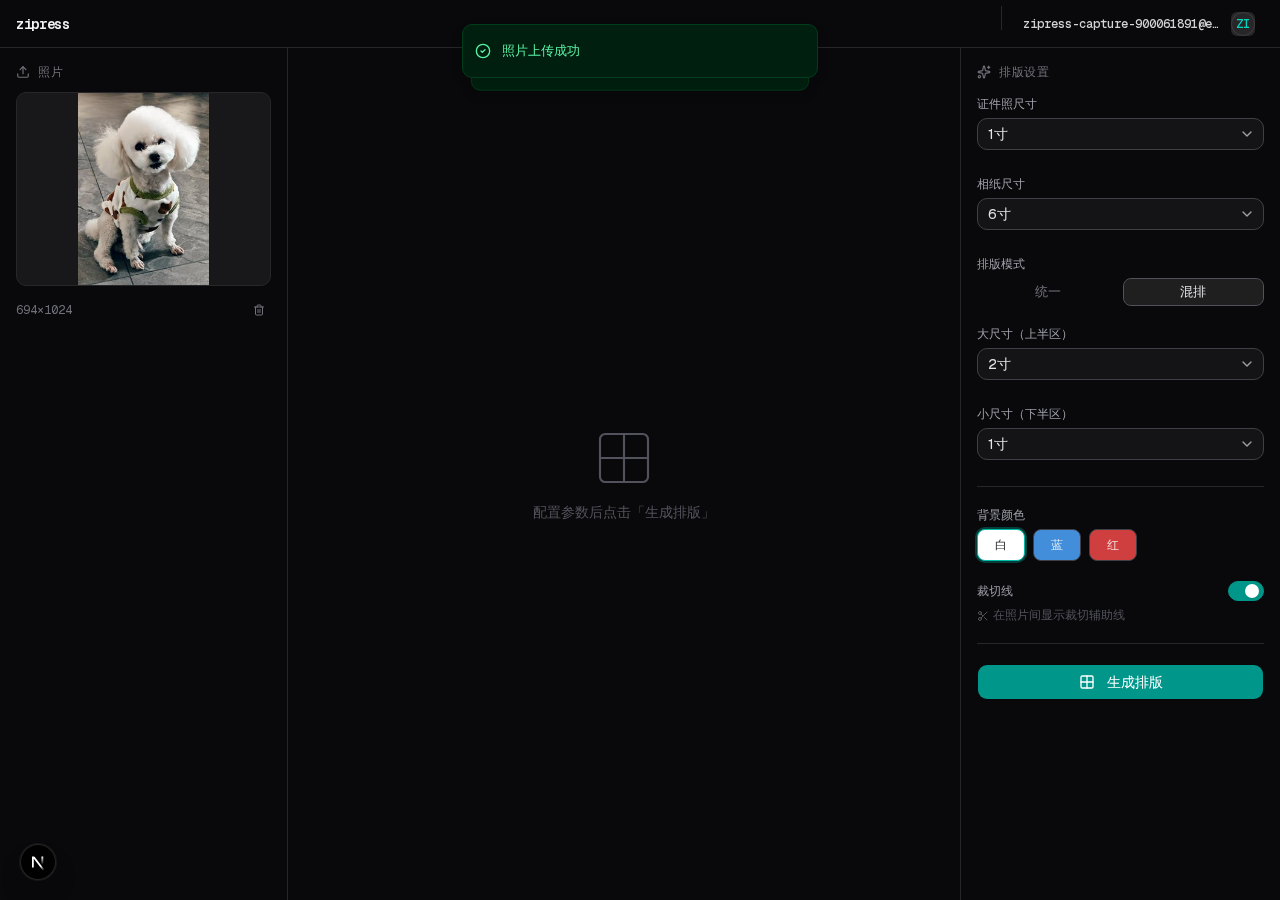
Cursor: Found that mixed layout requires `large_size` and `small_size`, while the frontend did not send them. Added size selectors and included the fields in requests.
Me: After uploading a photo, the uploaded-photo area does not display the image.
Cursor: The engine returned a relative `/uploads/...` URL, but the browser was asking Next.js for static files. Added `getEngineAssetUrl` and proxied `/api/engine/uploads/...`.
The useful lesson is simple: state the constraints early. Repository, authentication, documentation, and UI direction should be part of the initial brief. For bugs, give the symptom and reproduction path so the agent can find the root cause instead of covering it with a broad try/catch.
Implemented Features
| Module | What It Does |
|---|---|
| Engine | 1-inch, small 2-inch, 2-inch, large 2-inch photos; 5-inch, 6-inch, and A4 paper; 300 DPI grid layout; uniform and mixed layout; cutting guides |
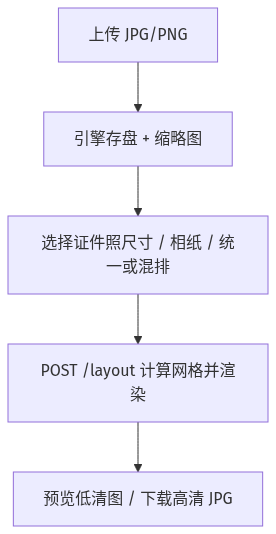
| API | POST /upload, POST /layout with photo_id, preview and JPEG download |
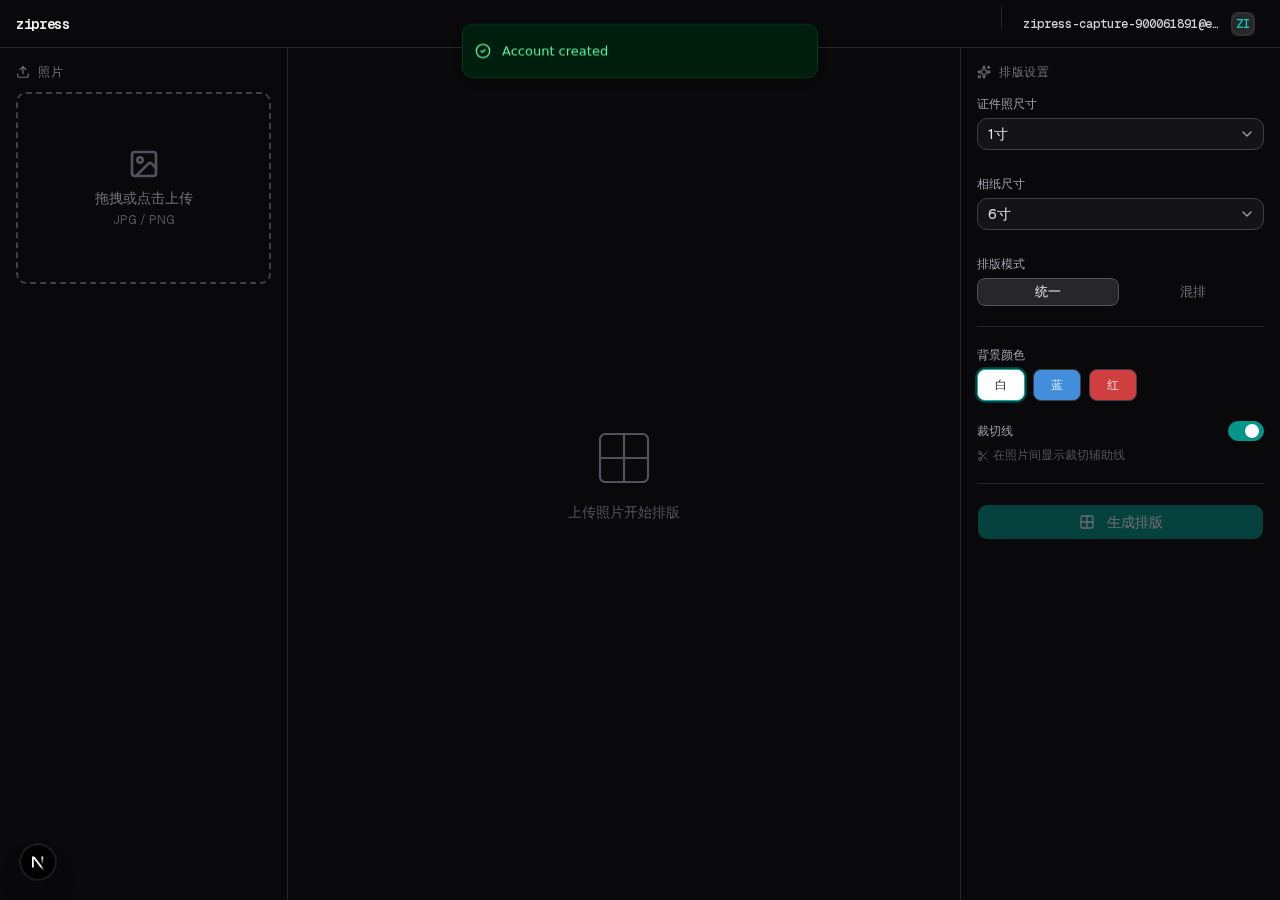
| Frontend | Landing page; email login; /app editor with upload, preview, and parameters; /api/engine reverse proxy |
| Engineering | uv and pytest for Python; pnpm and ESLint for frontend; Docker Compose development and production notes |
Mixed-layout parameter bugs and uploaded-image proxy bugs were the kind of integration problems that only show up after the system is actually wired together.
Goals And Boundaries
The project focuses on:
- Standard photo sizes
- Paper grids and mixed layouts
- Cutting lines
- Print-grade DPI
- Account system
- Docker deployment
It intentionally does not start with AI background removal, beautification, or a template marketplace. Those can be added later, but the core value is precise layout and export.
Technology choices:
- Image engine: Python plus Pillow
- Product and account system: Next.js App Router plus shadcn/ui
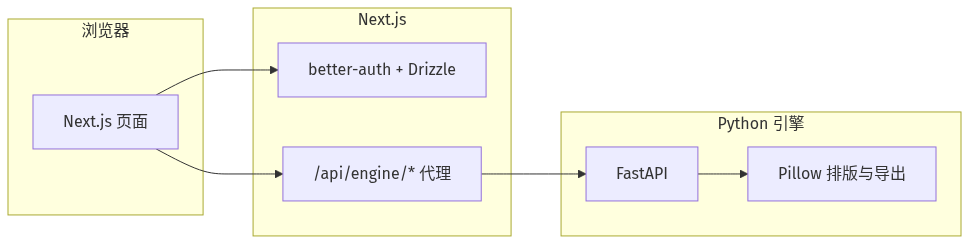
- Same-origin access: Next.js route handlers proxy
/api/engine/*to FastAPI, avoiding direct browser access to a separate engine port
Architecture
The architecture diagram is stored as a PNG image in the site, because Mermaid flowchart LR rendering was not stable across all build environments.
User Flow
Repository
The code is open-source under MIT: github.com/ax2/zipress.
web/: Next.js, login, landing page, and layout editorengine/: FastAPI plus layout and export enginedocker-compose.yml/docker-compose.dev.yml: backend and frontend orchestration
Running Locally
Engine, default port 8000:
cd engine
uv sync
uv run uvicorn app.main:app --reload --host 127.0.0.1 --port 8000
Frontend, default port 3000:
cd web
pnpm install
pnpm dev
The frontend needs environment variables such as ENGINE_URL, DATABASE_URL, and BETTER_AUTH_SECRET. After registration, enter /app to upload a photo and generate a layout. If the engine is not running, the UI should report that the layout service cannot be reached.
Keep the browser access address aligned with NEXT_PUBLIC_APP_URL and BETTER_AUTH_URL. Mixing localhost and 127.0.0.1 can cause better-auth session-domain confusion.
Screenshots
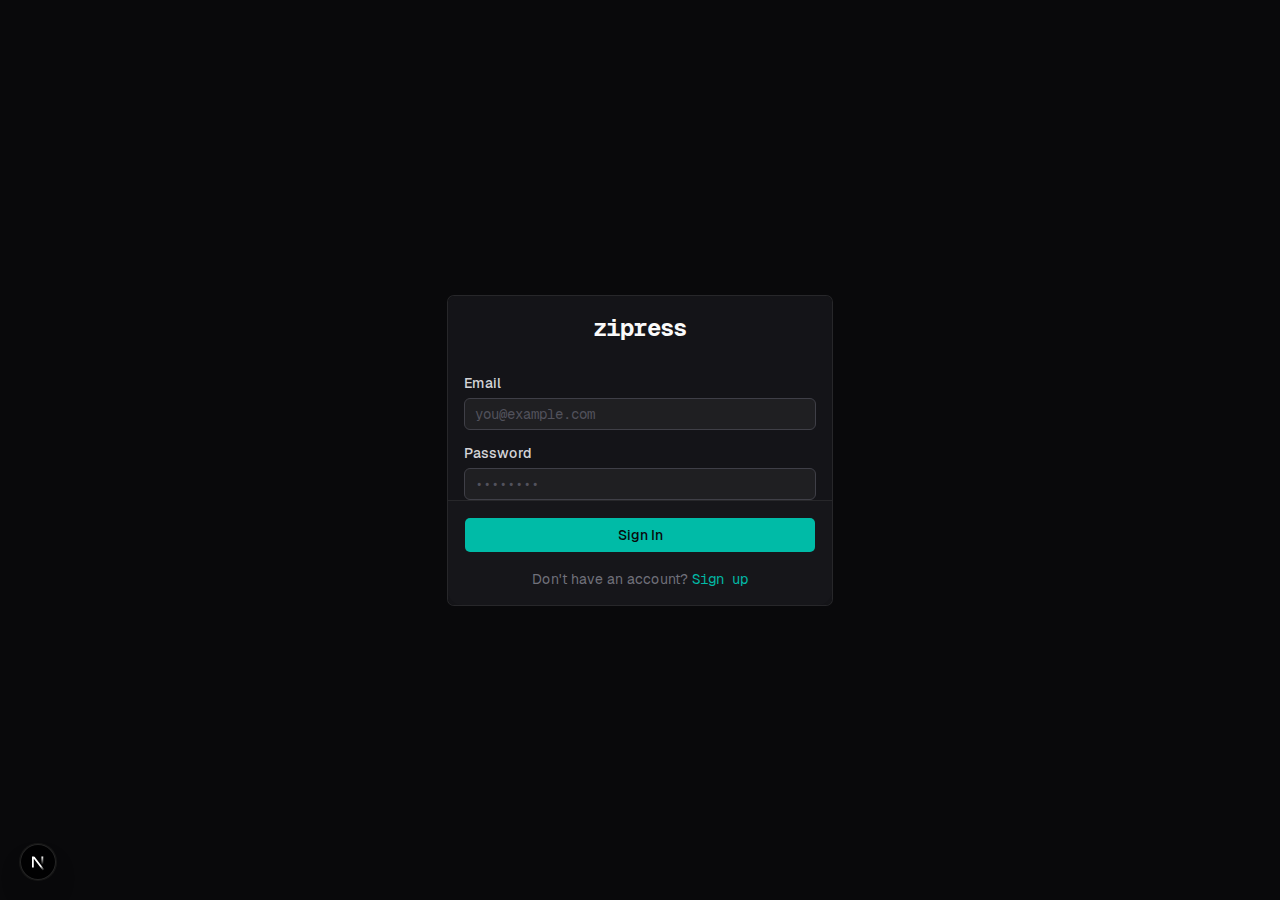
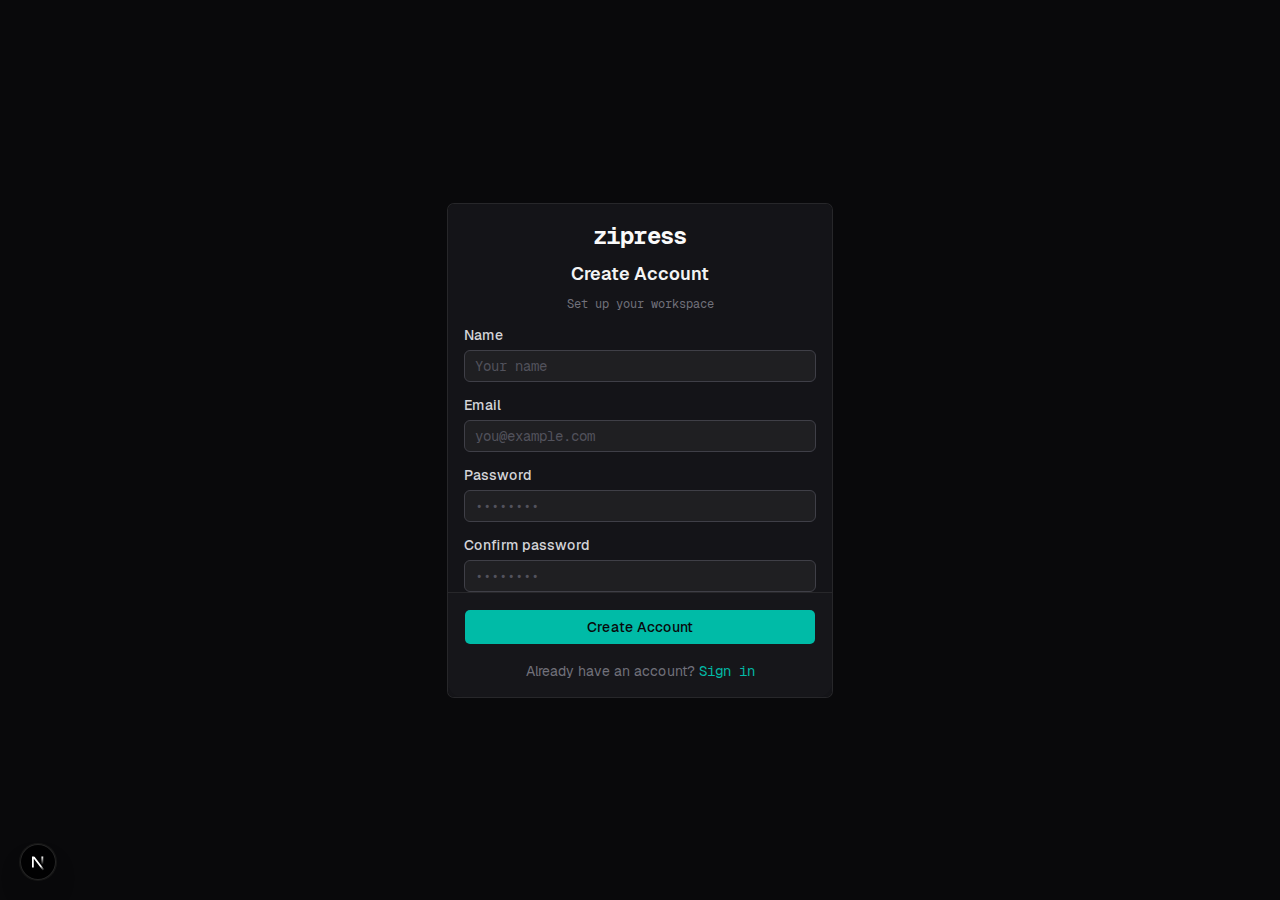
The login and registration pages use the same dark card style:
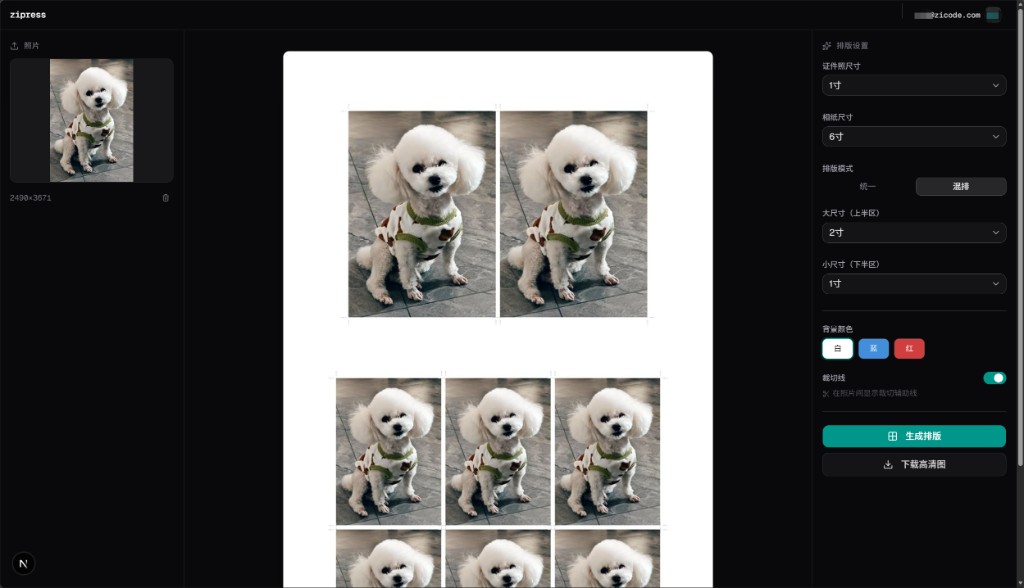
After login, /app opens a three-column editor: upload on the left, preview in the center, and parameters on the right.
After uploading a photo and switching to mixed layout, extra size selectors appear for the large upper section and small lower section.
Real Export: Uniform Versus Mixed Layout
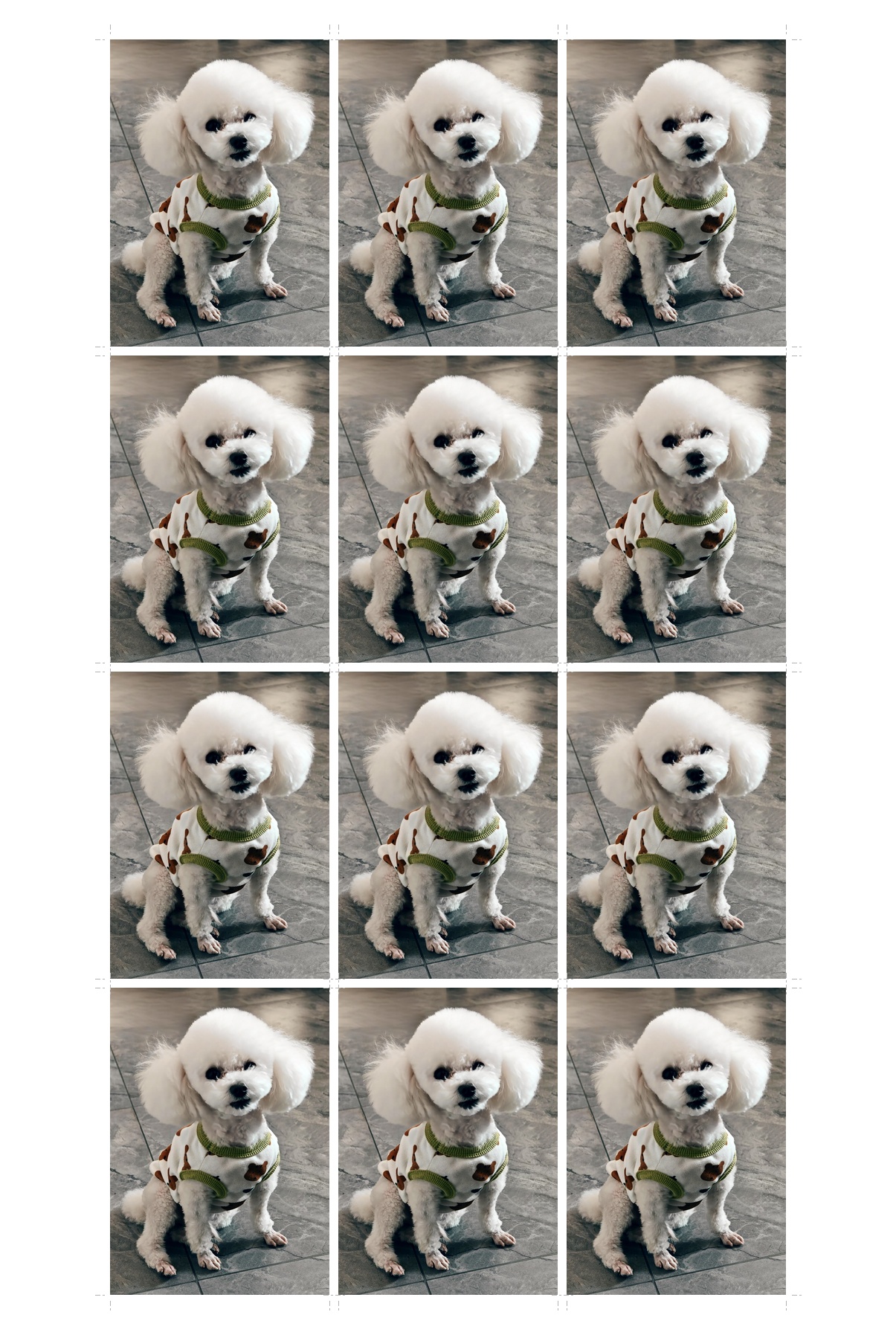
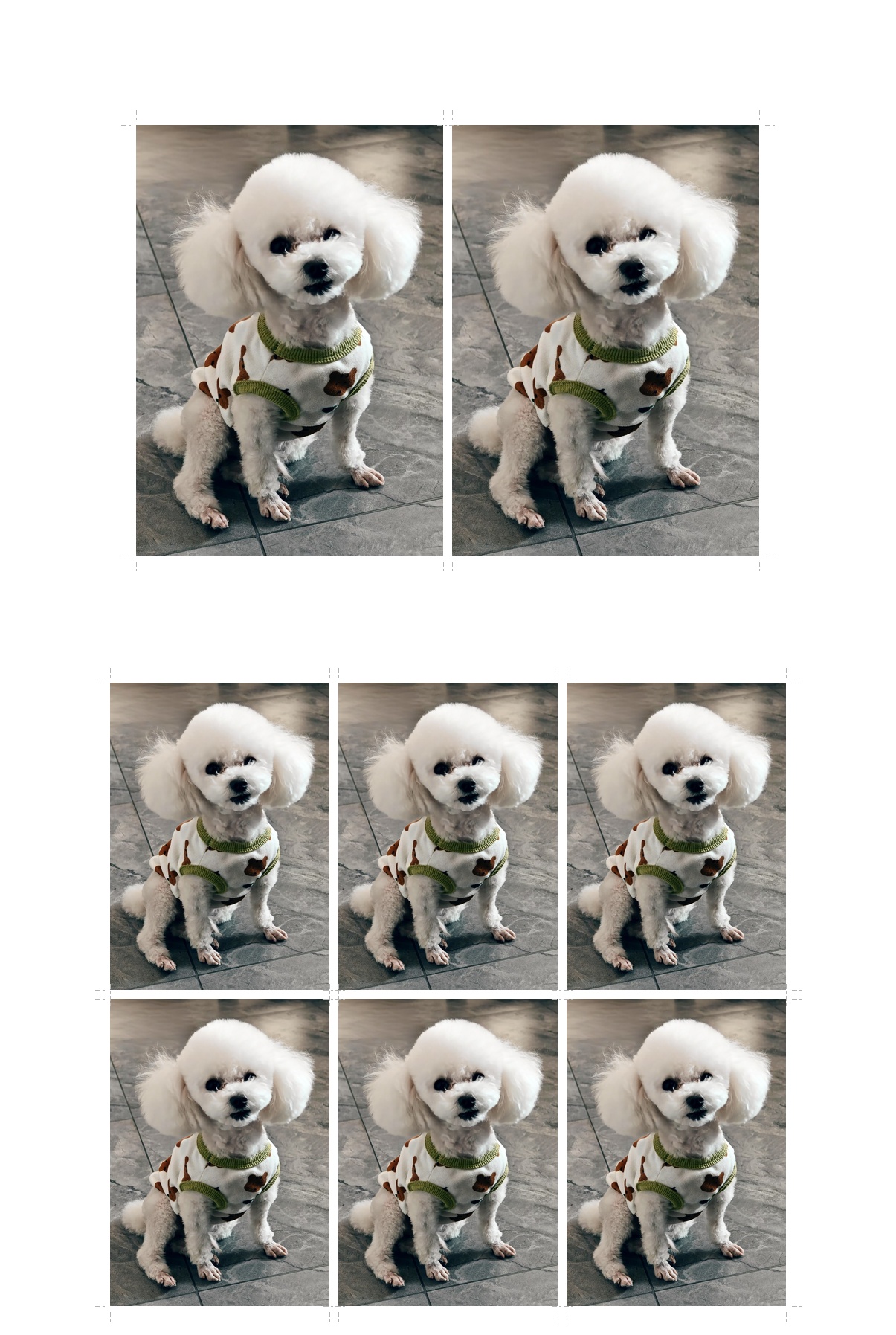
The following outputs were generated by the API, not hand-drawn examples.
Uniform layout, 6-inch paper plus 1-inch photos:
Mixed layout, upper 2-inch photos and lower 1-inch photos:
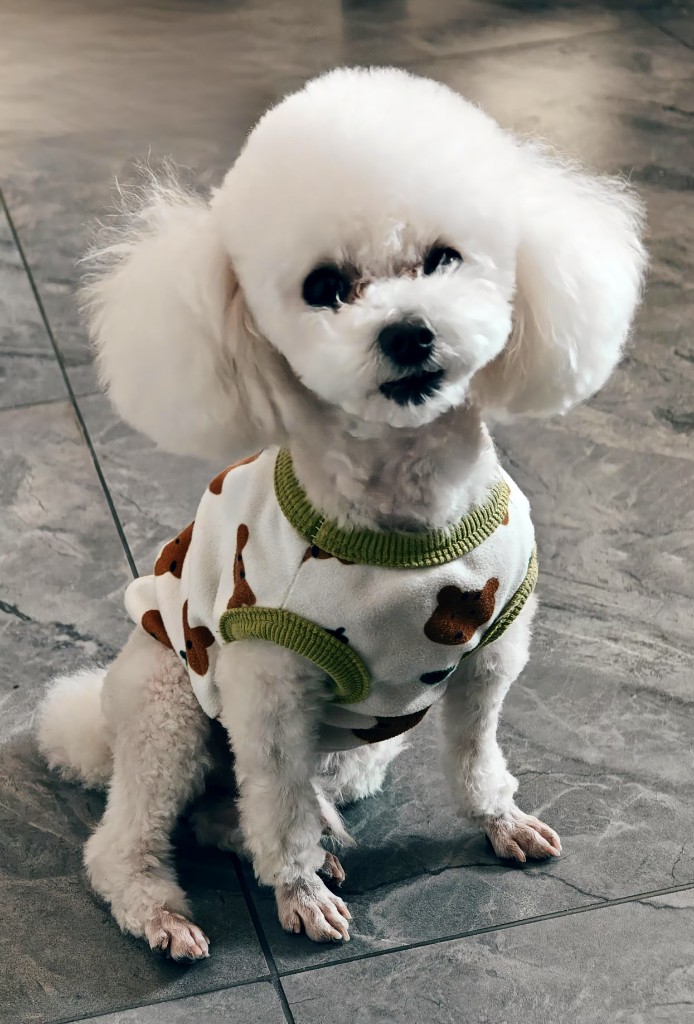
Source image:
Web editor preview after generating the mixed layout:
Deployment
Production can use the root docker-compose.yml. ENGINE_URL points to http://engine:8000, BETTER_AUTH_SECRET should be a strong random value, and the database file is mounted as a volume. The web Dockerfile expects Next.js standalone output.
Before going online, replace secrets and set the public BETTER_AUTH_URL and NEXT_PUBLIC_APP_URL.
Future Work
| Priority | Item |
|---|---|
| P1 | Background removal and background-color replacement as an optional step |
| P1 | Face detection and auto-centering |
| P2 | Multi-page PDF and A4 multi-page imposition |
| P2 | Layout presets, such as “eight 1-inch photos on 6-inch paper” |
| P2 | Internationalized UI |
| P3 | Saved history for logged-in users |
| P3 | Simple image adjustments such as brightness, contrast, and sharpness |
The order matters: engine tests and golden images should come before adding AI image-processing features, so output remains reproducible.
Closing
For a tool like zipress, the value is correct size and DPI alignment. For Cursor, the value is that requirements, debugging, and documentation can stay inside one development thread. If this is useful, the repository is at github.com/ax2/zipress.
Follow ZiCode on WeChat
If this post was useful, you can follow later updates on WeChat as well.

X / Twitter
Follow @ax2_zicode
Faster technical notes, short thoughts, and new-post alerts are posted on X.
