How I Use AI for Real Engineering Work: PRs, Docs, Remote Ops, and Releases
Over the past few months, I have felt my working style change in a very concrete way.
Not because one model suddenly became omnipotent, and not because an IDE added another chat panel. The shift happened because I started delegating whole stretches of work to AI more often: reading pull requests, writing review comments, adding tests, committing code, updating PR descriptions, drafting documents, debugging CI, testing APIs, logging into remote machines to install services, building the blog, and syncing articles to publishing platforms.
All of this was possible before. But these tasks used to consume a lot of fragmented time. More importantly, many of them are not single actions. They are chains: read context, assess risk, run commands, verify results, and package the outcome. The meaningful change is that AI can now participate in that whole chain.
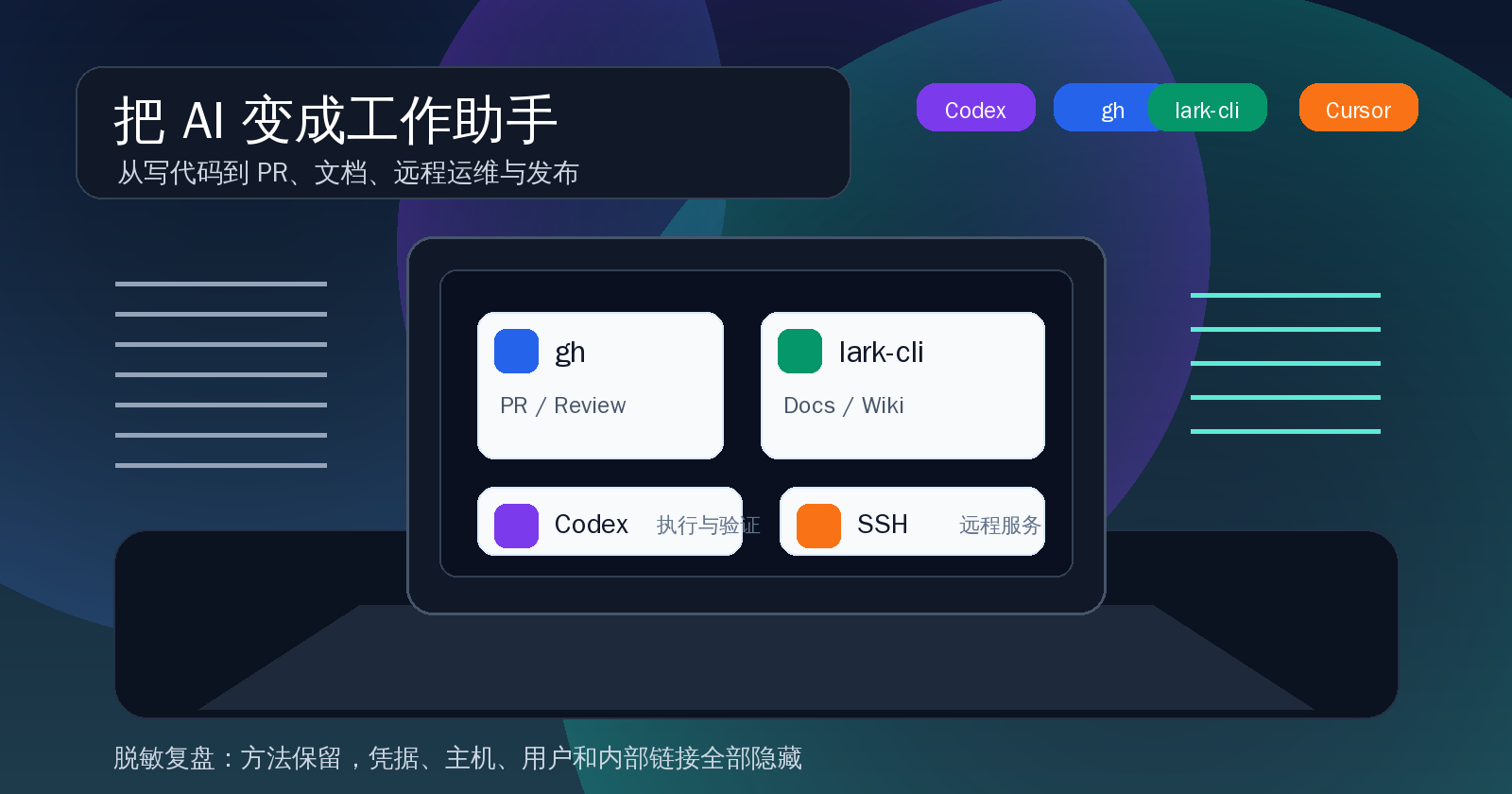
This is not a tool review, and it is not another slogan about tools replacing programmers. I have sanitized several real workflows and want to discuss a narrower question: how can Codex, Claude Code, Cursor, gh, and lark-cli be combined so AI becomes an auditable, verifiable assistant that can deliver work instead of only giving advice?
Sensitive details have been generalized. Project names, private document links, internal configuration, remote machines, accounts, subscription URLs, and user identifiers are not included. The methods remain.
My Current Split: Cursor for Local Context, Codex for End-to-end Tasks
I no longer compare all AI tools as if they were interchangeable.
Cursor feels like the editor floor. It knows which file I am looking at, where the cursor is, and what the current project structure looks like. It is good for local edits, completions, explanations, and small refactors. Its strength is that you do not leave the editor while writing code.
Claude Code feels more like an engineering agent in the terminal. It is close to shell, git, logs, scripts, and repository-scale tasks. Work that spans directories, commands, and state tracking often feels more natural with a terminal agent.
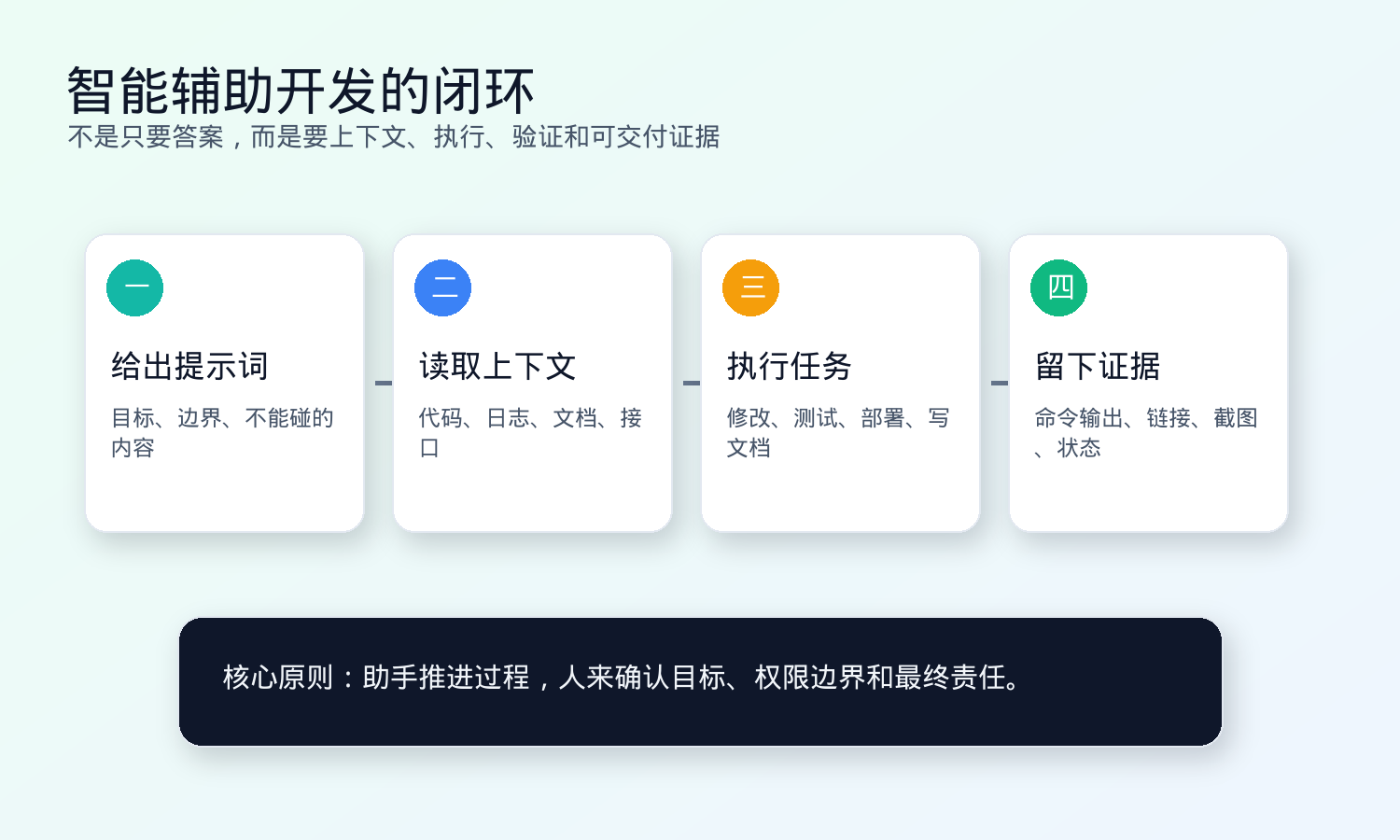
Codex, in my workflow, more often takes the role of finishing a task. I ask it to read code, edit files, run tests, commit, open PRs, write documents, and install services on remote machines. It does not only propose. It pushes the task toward a deliverable state.
Alongside those tools, two command-line tools matter a lot: gh and lark-cli. The former brings GitHub PRs, issues, reviews, and workflows into the loop. The latter brings documents, wiki pages, images, and office collaboration into the loop.
The real productivity gain comes from composition, not from any single tool.
Reviewing PRs: AI Should Reproduce the Problem, Not Click Approve
One recent PR review was a good example. The PR fixed Web API throttling and response headers. On the surface, the change was modest: a few endpoints gained parameters, middleware added rate-limit headers, and tests were updated.
If I only asked AI to “take a look,” I would probably get a generic summary. A better prompt names the review target.
The prompt I gave Codex:
Review this PR, focusing on the execution order of the limiter and authentication dependency. Tell me whether it blocks merge, which paths are affected, the minimal reproduction, and the suggested fix.
Codex used gh pr view to fetch PR files, comments, and existing review context, then read the related code. It found a real issue: in some routes, authentication dependencies could short-circuit before the route-level limiter wrapper. Requests with missing or wrong Authorization returned 401 before entering the limiter, so no rate-limit headers were produced.
That conclusion was not guesswork. Codex wrote a minimal FastAPI/slowapi reproduction, ran it, and showed that repeated 401 responses had no rate-limit headers. The review comment was structured around problem, impact, reproduction, and suggested fix.
That is where AI review becomes useful. It does not replace business judgment. It turns a suspicion into evidence that can be reproduced, discussed, and fixed.
Writing PRs: Chinese Descriptions, Test Plans, and Reviewer Notes Should Be Defaults
Another frequent task is committing code, pushing a branch, and creating or updating a PR.
This looks easy, but over time PR quality drifts. Sometimes the title is all you get. Sometimes the test plan is missing. Sometimes the reviewer notes do not explain the risk. AI is useful here as a format gatekeeper.
The prompt I give Codex:
Commit the code, push the branch, and create a PR to the target branch. The PR title and description must be in Chinese. Read the repository PR template first. The description must include Summary, Test Plan, and Reviewer Notes. If tests were not run, explain why.
The commands are ordinary:
git status --short
git diff --check
git add <files>
git commit -m "fix: 中文描述"
git push -u origin <branch>
gh pr create --base <base> --head <branch> --title "中文标题" --body-file /tmp/pr_body.md
But the important part is not the commands. It is the rule:
- PR titles and descriptions default to Chinese.
- The body includes Summary, Test Plan, and Reviewer Notes.
- The repository template is read before inventing a format.
- If tests did not run, the reason is explicit: missing token, real third-party dependency, or an actual test failure.
Once these rules are written into agent instructions, I no longer need to repeat them. AI can push “code changed” toward “PR ready for review.”
Writing Lark Documents: Read the Existing Structure, Generate Images, Check CJK Fonts
Documents are another area where AI works well.
In one task, I needed a technical document for a Search service. It had to follow the structure of an existing Executor technical document and read all search-optimization documents under a given wiki node. If done manually, the time sink is not typing sentences. It is collecting context, organizing the structure, creating diagrams, inserting images, and checking links.
The prompt:
Follow the structure of the existing technical document. Read the related documents under the specified wiki node. Generate a new Search technical handover document. It must include architecture, request flow, code structure, current issues, optimization plan, and onboarding checklist. Images must be PNG, and Chinese text must not be garbled.
Codex first used lark-cli docs +fetch to read the reference document, then read the relevant documents under the target node. It organized the result into:
- where the service sits in the system
- request flow
- core code structure
- data and index synchronization
- current issues
- optimization plan
- onboarding checklist
The document also needed architecture diagrams, request-flow diagrams, and a roadmap. The first generated images had garbled Chinese text. That failure produced a very useful rule:
Images inside Lark documents must be real PNG files. If an image contains Chinese text, use a CJK-capable font and preview locally to ensure no garbling, clipping, or low contrast.
After redrawing with proper fonts and checking locally, the images were uploaded and replaced. This detail seems small, but for onboarding documents, a broken diagram immediately damages trust.
Checking Search Indexes: Let AI Find Samples, Run Commands, and Verify Results
Search optimization provides another good engineering task: find a sample missing index text or vector fields, then test whether the index-update command fills them correctly.
The task is not conceptually hard, but it has many steps:
- Connect to the specified data source.
- Find enabled samples whose index fields are missing.
- Run a dry-run update.
- Run the real update.
- Verify field values and updated timestamp.
- Confirm whether the sync script will carry the change online.
The right prompt is not “explain how index updates work.” It is a concrete verification target.
The prompt:
Using the specified profile, run a read-only query for one sample missing index fields. Show the SQL and candidate result first, then dry-run the index update. After confirmation, execute the update and verify whether updated_at changed.
Several constraints matter: specified profile, read-only first, dry-run first, verify updated timestamp. They prevent AI from jumping into writes and make the final answer evidence-based.
One lesson here is that a local update should not advance a global sync watermark if it only updates a selected set of tools. Also, if index fields are updated, the timestamp must be updated too; otherwise, downstream incremental sync may miss the change. These are exactly the kinds of rules that belong in project-level instructions.
Debugging CI: Turn Logs Into the Shortest Fix Path
CI failures are also good AI work.
A failed CI run rarely has only one useful line. It involves the workflow, job, environment variables, dependency cache, fixtures, recent commits, and review comments. A human can investigate all of it, but opening pages, scanning logs, copying commands, and finding the failing file burns fragmented time.
The prompt:
This GitHub Actions run failed. Use gh to inspect the failed job and logs. Locate the cause. Decide whether code must change. If so, make the smallest fix, run the relevant tests, and explain the cause and verification result in Chinese.
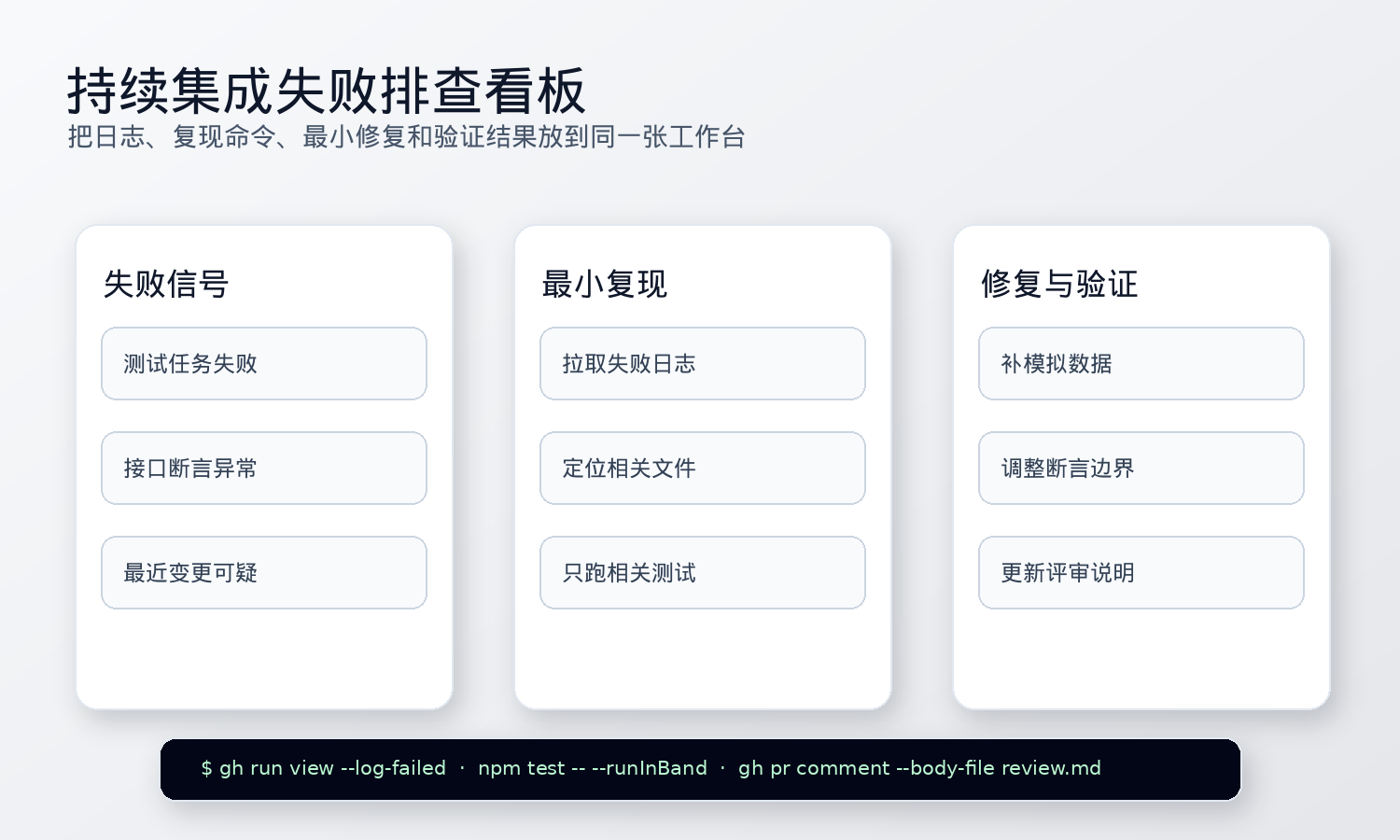
I do not want “maybe a test failed.” I want the full chain:
- which workflow, job, and step failed
- the key error in the log
- whether it can be reproduced locally with a smaller command
- if code changed, whether the change is minimal
- which verification command passed afterward
This turns a red cross in CI into a reviewable fix path. Especially when a PR already touches many files, AI can quickly narrow attention to the related code and tests.
API Integration: Ask for Requests, Scripts, and Acceptance Checks Together
Many integration tasks are not hard because writing one curl command is hard. They are hard because the acceptance criteria are vague.
For a local service API, I ask AI to do three things at once: prepare request examples, write a minimal test script, and add a short document. That way, the next person does not need to dig through chat history to find the command.
The prompt:
Write an API test script for this local service and provide curl examples. The script must support configurable service address and model name. It should print response time, a response summary, and errors. Run it locally and update the blog article with the result.
The practical points are: service address and model name must be configurable, not hard-coded; errors must be printed, or failures cannot be diagnosed; the result must be written back into documentation, so the script is discoverable later.
Similar tasks include smoke tests for new APIs, local replay scripts for webhooks, dry-run examples for batch commands, and minimal acceptance checklists for admin pages. AI is not designing the whole system here. It is finishing the last mile that people often forget.
Remote Service Installation: Move from “It Runs” to systemd and Verification Commands
AI can also handle repetitive remote operations well.
For example, installing a service compatible with a subscription-based network configuration can be treated as an engineering chain instead of an improvised ops session.
The prompt:
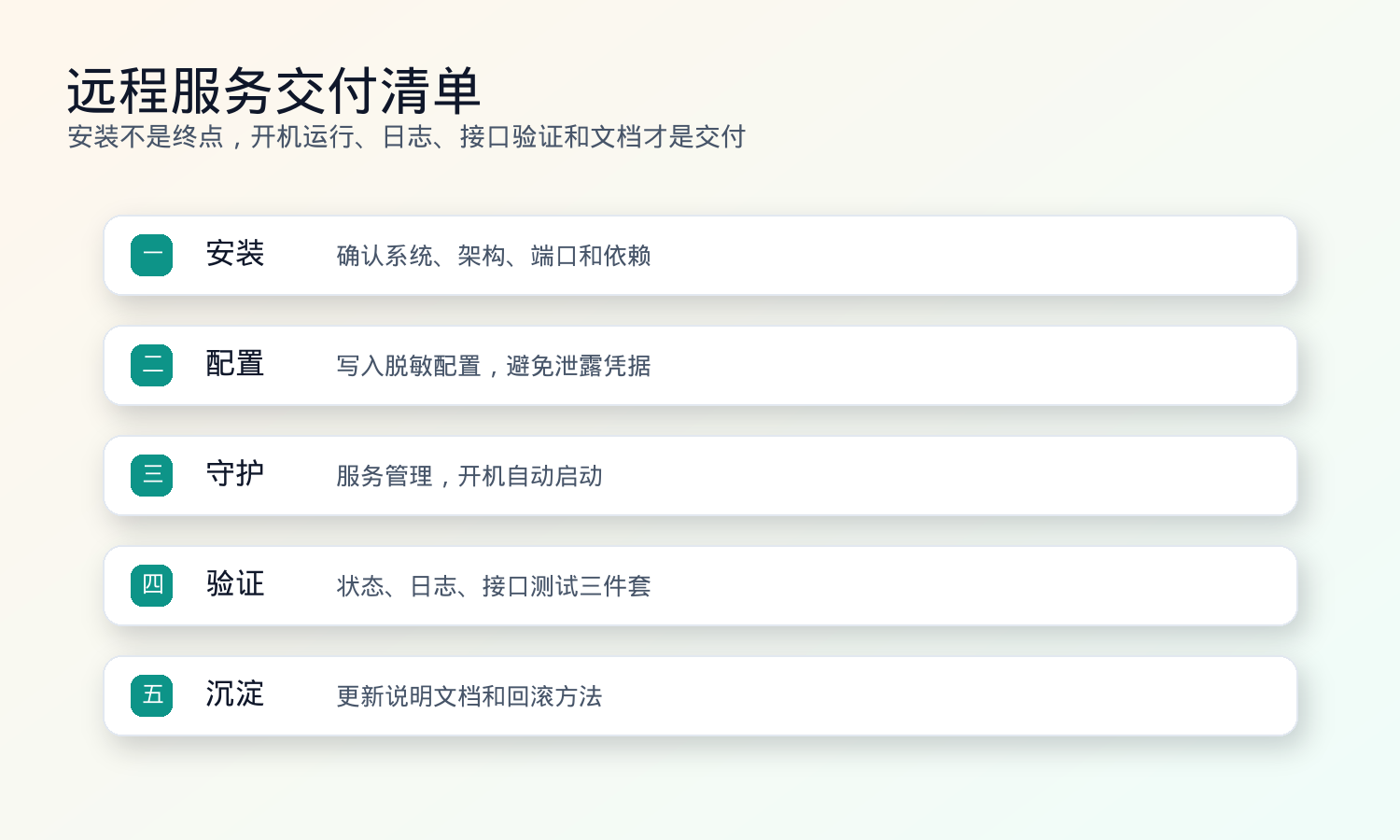
Follow the deployment pattern used on the previous machine and install the same service on this server. Configure it as a systemd service, make it start on boot, and make it usable on the LAN. Do not write sensitive configuration into public documents. After finishing, provide status checks, log commands, and a minimal availability test.
The chain is explicit:
- Confirm machine, operating system, architecture, and port usage.
- Configure passwordless SSH if needed.
- Install the service.
- Write configuration.
- Enable LAN access.
- Create a systemd service.
- Enable boot start.
- Verify with logs and a minimal network test.
- Update server notes.
The most important part is the sensitive-information boundary. Server addresses, accounts, passwords, subscription URLs, and tokens should not appear in public articles or PRs. AI may use them in local commands and remote configuration, but the resulting documentation should keep only placeholders and operating methods.
My current rule for this class of task is: after remote installation, provide systemctl status, a log command, and a minimal availability test. Otherwise, “installed” is not a meaningful claim.
lark-cli and gh: Bring Collaboration Systems Into the Loop
If AI only lives in the editor, its range is limited to code-adjacent work.
The workflow closes when gh and lark-cli are available.
The prompt:
Write a Lark document about AI-assisted work and place it under the specified wiki node. Cover lark-cli, gh, Codex, Claude Code, and Cursor in engineering workflows. Use real cases and turn them into a methodology that can be handed to a new teammate.
gh brings GitHub in: PRs, comments, checks, workflows, reviews, and failing job logs. Often AI does not need a browser. With gh, it can retrieve the collaboration context directly.
lark-cli brings documents in: creating documents, reading wiki pages, inserting images, moving image blocks, and updating content. Once document operations are commandable, AI can turn “write a handover document” into a real document that opens.
The tools themselves are not magic. They give AI action interfaces.
Rules I Eventually Wrote Down
After using this workflow for a while, these are the rules worth putting into global instructions:
- PR titles, descriptions, and review comments default to Chinese and include Summary, Test Plan, and Reviewer Notes.
- When a Lark document needs images, generate real PNG files; text inside images must use Chinese fonts and be locally previewed.
- Internal systems, remote machines, subscription URLs, passwords, and tokens may be used in local commands and remote configuration, but must not be written into public documents or PRs.
- High-risk writes require a dry run, a candidate list, and a rollback strategy first.
- Remote service installation must include systemd setup, boot start, log commands, and a minimal availability test.
- After AI finishes a task, it must provide verification evidence: test results, service status, API response, PR link, or document link.
These do not sound like prompt tricks. They sound like engineering discipline. The more AI is used in real work, the more engineering discipline matters than clever prompts.
The Real Change: From Q&A to Delegation
I used to use AI mostly as Q&A: explain this code, write this function, propose a plan.
Now it feels more like delegation: this is the goal, this is the repository, these are the constraints, and these are the boundaries you must not cross. Go read the context, run the necessary commands, make the smallest change, run tests, and bring back the result and evidence.
Those are very different modes.
Q&A only needs a plausible answer. Delegation requires the work to be done and withstand inspection. That is why AI-assisted engineering is not only about model capability. It is about context, tools, permissions, verification, and accumulated rules.
Once those pieces connect, AI stops being just a chat box. It becomes an assistant that can enter the engineering floor, leave evidence, and push fragmented work toward delivery.
Humans still decide the goal, boundary, and final responsibility. AI can remove a lot of repetitive coordination, but it should not take over judgment.
That is the AI workflow I am most willing to accept: not removing people from work, but freeing people from many low-value connective tasks.
Follow ZiCode on WeChat
If this post was useful, you can follow later updates on WeChat as well.

X / Twitter
Follow @ax2_zicode
Faster technical notes, short thoughts, and new-post alerts are posted on X.
