Hermes Agent At A Glance: Self-Hosted Multi-Model Agents And How It Compares With OpenClaw
Hermes Agent At A Glance: Self-Hosted Multi-Model Agents And How It Compares With OpenClaw
Hermes is one of the hotter open-source agent projects right now. I wrote these notes around the questions I care about: whether it is worth trying, whether Windows users can install it, how model selection works, and how it differs from OpenClaw.
What Hermes Is Trying To Do
Hermes is an open-source project from Nous Research under the MIT license. Its documentation lives at hermes-agent.nousresearch.com/docs.
It is not just a chat box. It can run persistently, supports skills and memory, connects to messaging software through gateways, and includes cron jobs, sub-agents, terminal backends, and MCP. It expects a real runtime environment and can be deployed on an inexpensive VPS. That makes it different from small scripts that only wrap a single chat session.
Compared With OpenClaw
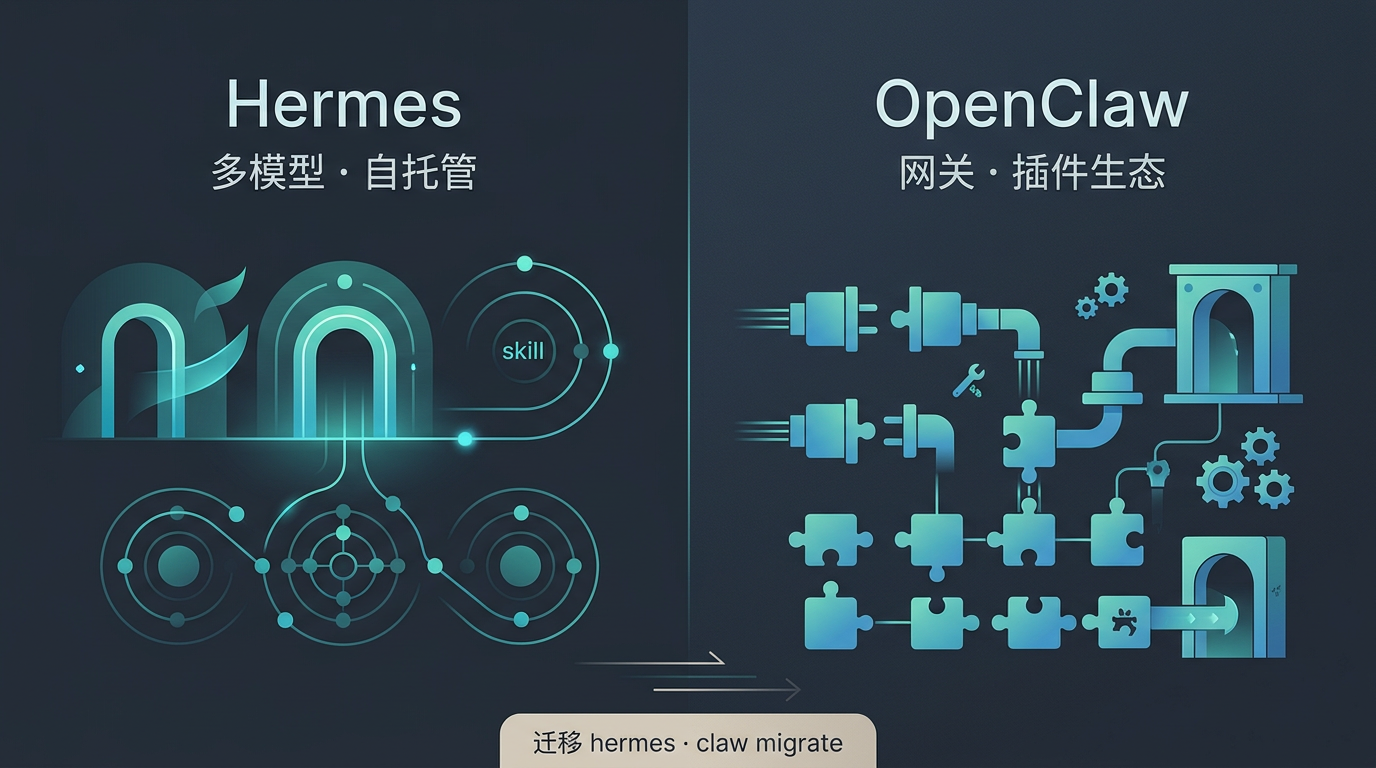
Both projects are self-hosted gateways: messages from phone or workplace IM channels enter a resident process, then are handled by an agent with tools. The overlap is large enough that Hermes includes hermes claw migrate, and hermes setup can scan ~/.openclaw. But they are not skins of the same product. The technical stack, entry points, and ecosystem shape are quite different.
Runtime And Setup Shape
| Hermes | OpenClaw | |
|---|---|---|
| Runtime | Mainly Python ecosystem, usually installed through the official script with uv/venv-style paths | Mainly Node, with docs recommending npm install -g openclaw and a required Node version |
| Config location | Commonly under ~/.hermes, such as config.yaml and gateway folders | Core config under ~/.openclaw/openclaw.json |
| Entry point | hermes TUI, hermes setup, hermes gateway setup | openclaw onboard, daemon setup, and browser dashboard through openclaw dashboard |
OpenClaw leans toward a browser control panel plus onboarding. Hermes leans toward doing everything in the terminal. In a loose analogy, it feels a little like the difference between Cursor and Claude Code: the preference depends on how you like to operate.
Plugins, Skills, And Registries
OpenClaw emphasizes three extension types inside its gateway: skills, MCP, and TypeScript plugins that can extend channels, tools, CLI commands, and hooks. It also has ClawHub as a centralized installation and discovery path. Commands such as openclaw plugins install and openclaw skills ... are part of that story.
Hermes also has skills, MCP, and optional plugins. Its docs and repository mention agentskills.io. Hermes puts more visible emphasis on skill versioning and a learning loop that can improve skills over time, rather than only presenting a traditional app-store-like plugin model.
If you already rely heavily on ClawHub plugins or channel-specific TypeScript plugins, migrating to Hermes should be treated as a functional migration, not a drop-in replacement. Some capabilities may have to be reimplemented or connected through MCP.
Channels And Clients
Both projects cover many IM channels. The important question is not “which list is longer,” but whether the channels you actually use are first-class and well documented in the version you run.
OpenClaw’s public docs cover channels such as Discord, Slack, Telegram, WhatsApp, Signal, iMessage, WebChat, and mobile nodes.
Hermes’ Messaging Gateway puts DingTalk, Feishu/Lark, WeCom, Weixin, and overseas channels into one capability table. For Chinese users, the Weixin path is a notable point because it is documented as an official adapter.
Memory, Sessions, And Learning
Hermes foregrounds long-term memory, skill evolution, cross-session retrieval, and user modeling ideas such as Honcho. The repository also contains more advanced material around trajectories, reinforcement learning, and training.
OpenClaw’s documentation emphasizes the gateway as the unified entry point for sessions and routing, workspace separation, integration with agents such as Pi, and browser-console management for sessions and configuration.
If you care most about a personal assistant that gradually learns and remembers, Hermes is worth trying. If you care more about multi-channel operations, a control dashboard, and plugin ecosystem organization, OpenClaw may still be the more comfortable choice.
Migration From OpenClaw
Hermes’ README says migration can bring over things such as persona files, memory entries, skills, command allowlists, messages, platform configuration, some API keys, and workspace AGENTS.md files. You can run:
hermes claw migrate --dry-runto inspect what would happen.
Migration solves data and habit transfer. It does not guarantee that every plugin or channel behavior is reproduced one-to-one. After migrating, gateway setup, tool sets, and security policies still need to be checked against Hermes documentation.
How To Choose
Continue using OpenClaw if you already depend on ClawHub plugins, browser-dashboard workflows, or OpenClaw-specific channel plugins, and you do not want to disturb existing configuration.
Try Hermes seriously if you want to explore the Nous stack, care about memory and skill learning, need channels that are more clearly documented in Hermes, or prefer a command-line-first workflow.
Running both is possible, but be careful with the same token or account being long-polled by two systems at once. Some channels need a single active instance.
Windows
Native Windows is not the primary path. The official recommendation is to use WSL2 and install inside a Linux environment:
curl -fsSL https://raw.githubusercontent.com/NousResearch/hermes-agent/main/scripts/install.sh | bashThen source your shell configuration and run hermes. See Installation.
Models
The README mentions Nous Portal, OpenRouter, z.ai/GLM, Kimi/Moonshot, MiniMax, OpenAI, and custom endpoints. Models can be switched through:
hermes modelHermes itself does not charge a software license fee. Model usage and API billing depend on the provider you connect. Security-related options are documented under Security.
Weixin Support
Personal WeChat and enterprise WeCom are separate lines. Personal accounts use the Weixin adapter through Tencent’s iLink Bot API, usually with long polling rather than a public webhook. Enterprise organizations use WeCom and should follow the WeCom documentation.
The dedicated personal Weixin document is Weixin (WeChat). It covers dependencies such as aiohttp and cryptography, QR-code login through hermes gateway setup, credential storage under ~/.hermes/weixin/accounts/, and environment variables such as WEIXIN_ACCOUNT_ID.
Group-chat behavior, media support, retry, deduplication, and troubleshooting details are documented there. If you need enterprise WeChat, do not copy Weixin settings into WeCom.
Anthropic Managed Agents Are A Different Category
Anthropic’s Managed Agents are also attracting attention, but they are not the same kind of product. Hermes is self-hosted. Managed Agents are a hosted sandbox and agent runtime path. If you want the managed route, read Anthropic’s engineering post and Claude documentation directly.
Common Commands
Start diagnostics with:
hermes doctorOther common commands:
hermes
hermes model
hermes tools
hermes gateway
hermes setup
hermes claw migrate
hermes update
The full list is in the CLI Reference.
Follow ZiCode on WeChat
If this post was useful, you can follow later updates on WeChat as well.

X / Twitter
Follow @ax2_zicode
Faster technical notes, short thoughts, and new-post alerts are posted on X.
